
Visual floor plan
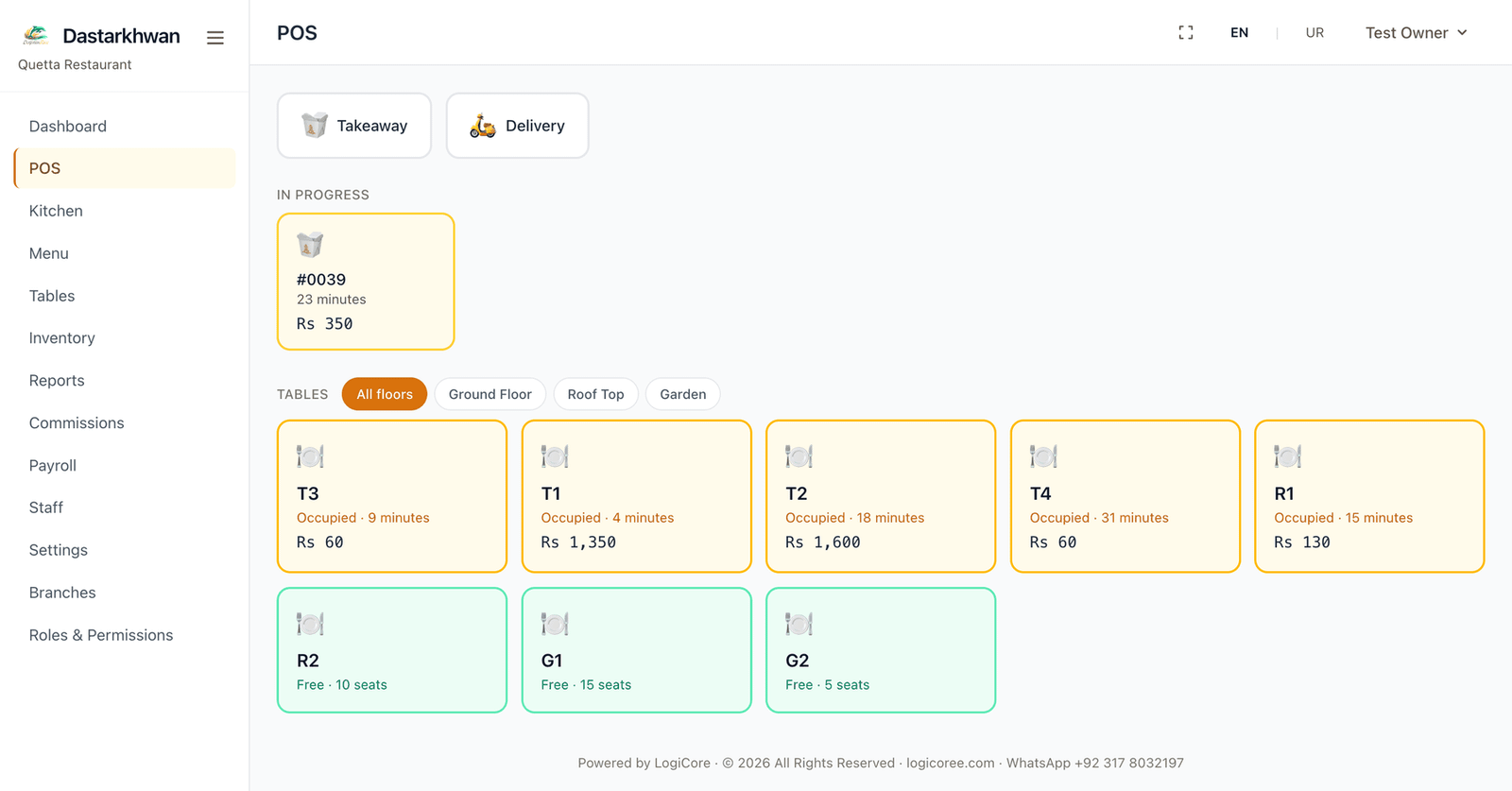
Every table is a tile — green when free, amber with the elapsed time and running total when occupied. One tap starts a takeaway or delivery order.
A complete point-of-sale and management system for restaurants, cafés and food outlets.
Dastarkhwan runs the counter, the kitchen and the back office of a food business. Take orders from a visual floor plan, send tickets to the kitchen, print bills and receipts on a thermal printer, track ingredient stock automatically as dishes sell, and see the day's sales from your phone. Run one outlet or several, each with its own tables, staff and figures.
Overview
The parts of the system a shop uses every day.
Every table is a tile — green when free, amber with the elapsed time and running total when occupied. One tap starts a takeaway or delivery order.
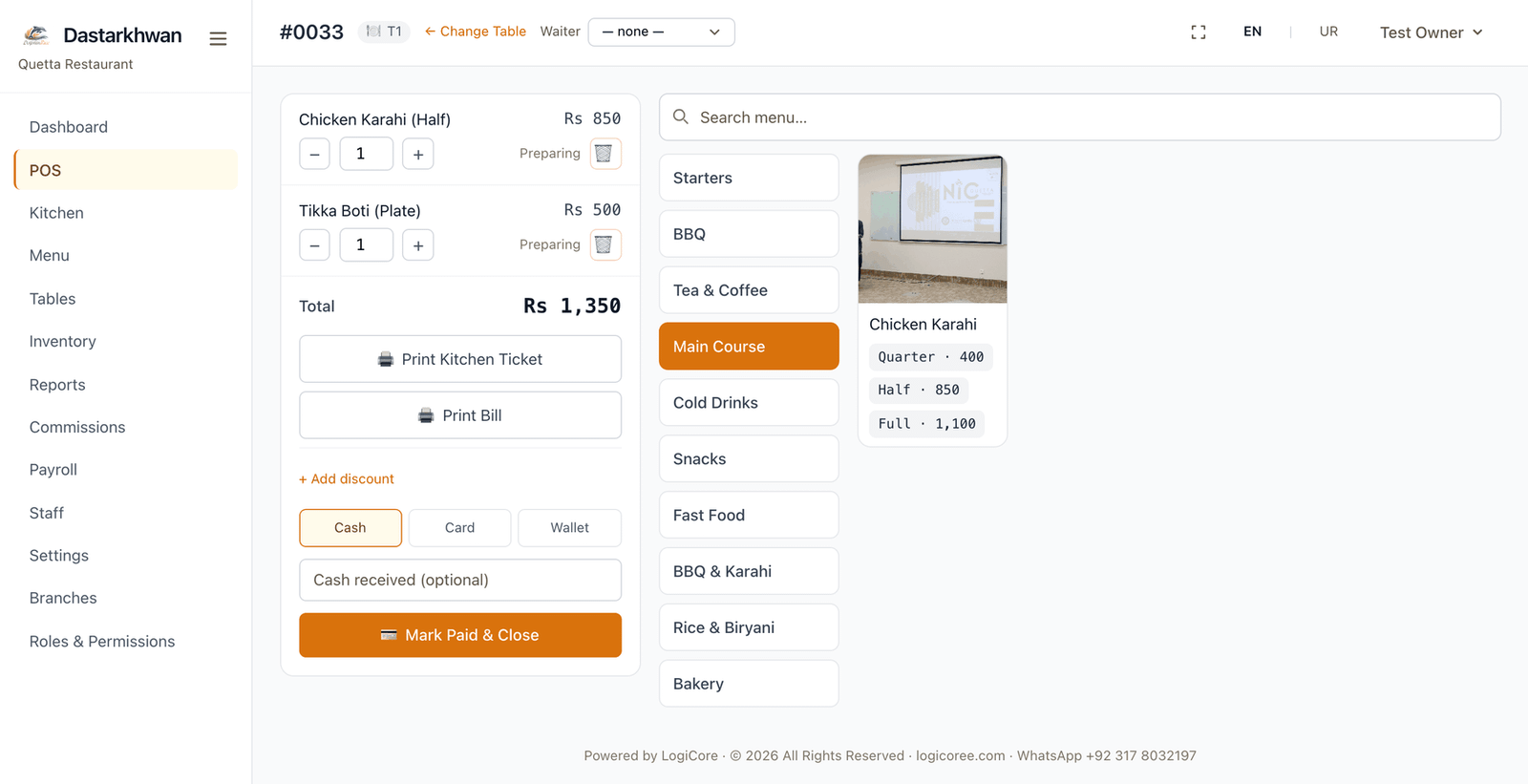
Cart, categories and a photo-tile menu grid on a single screen. Quantity steppers instead of typing numbers; switching category is instant.
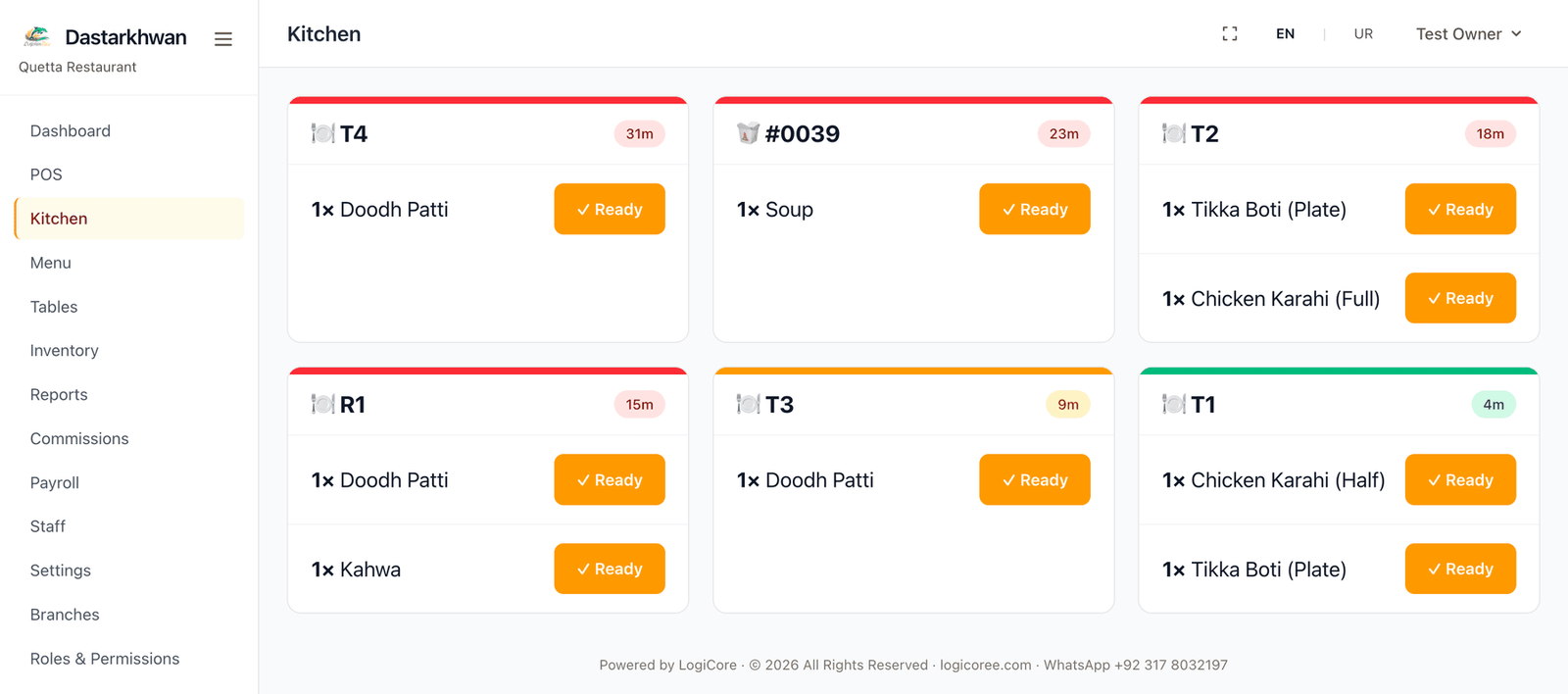
Pending → preparing → ready → served, one tap per step, on a screen across the room. A colour-coded timer per ticket shows what has waited longest.
Kitchen ticket, bill and receipt print on 80mm or 58mm thermal paper through the browser print dialog — no special printer driver required.
Link a dish to its ingredients once. Selling it deducts stock automatically, scaled to the portion size, and editing or removing a line puts the right amount back.
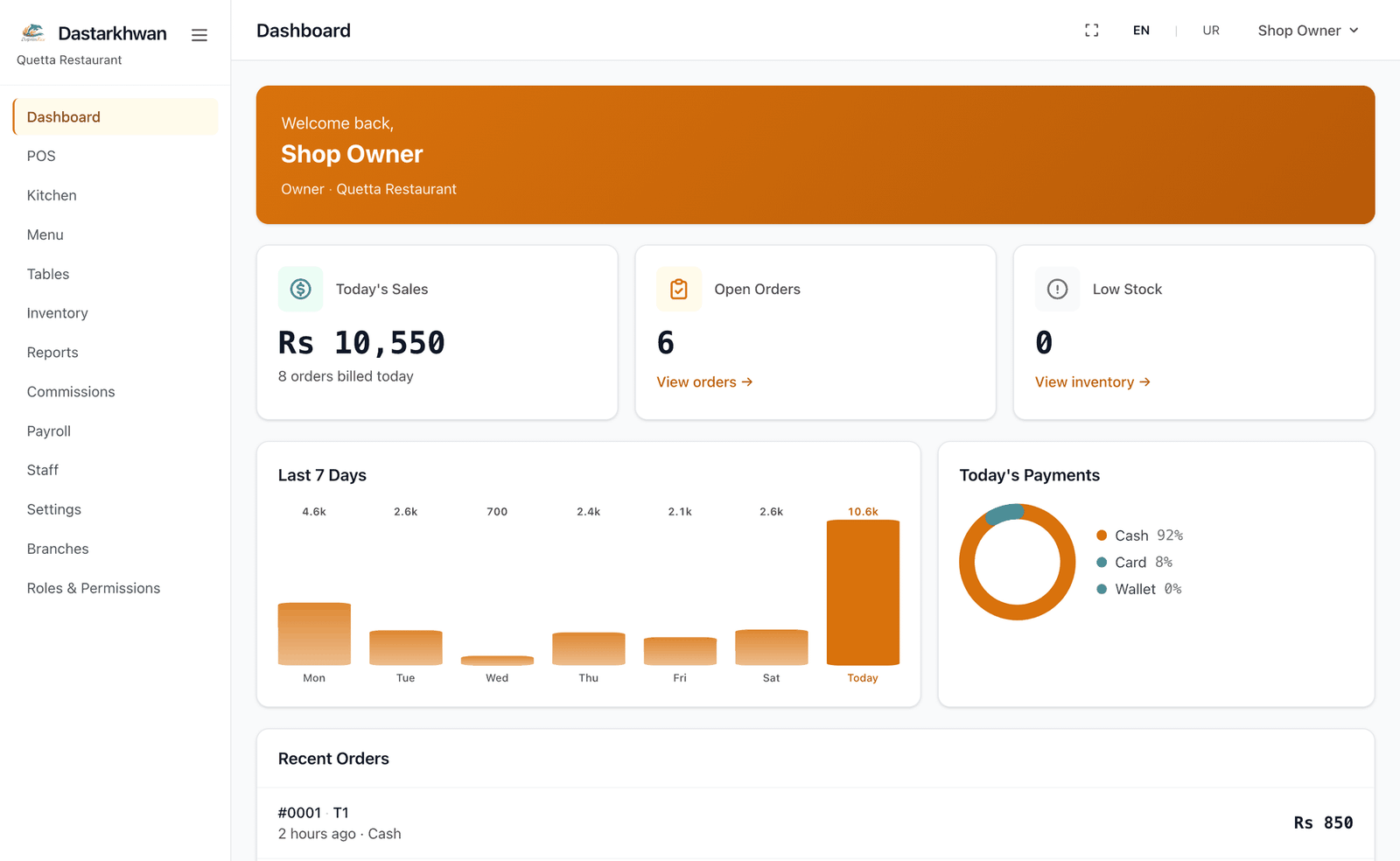
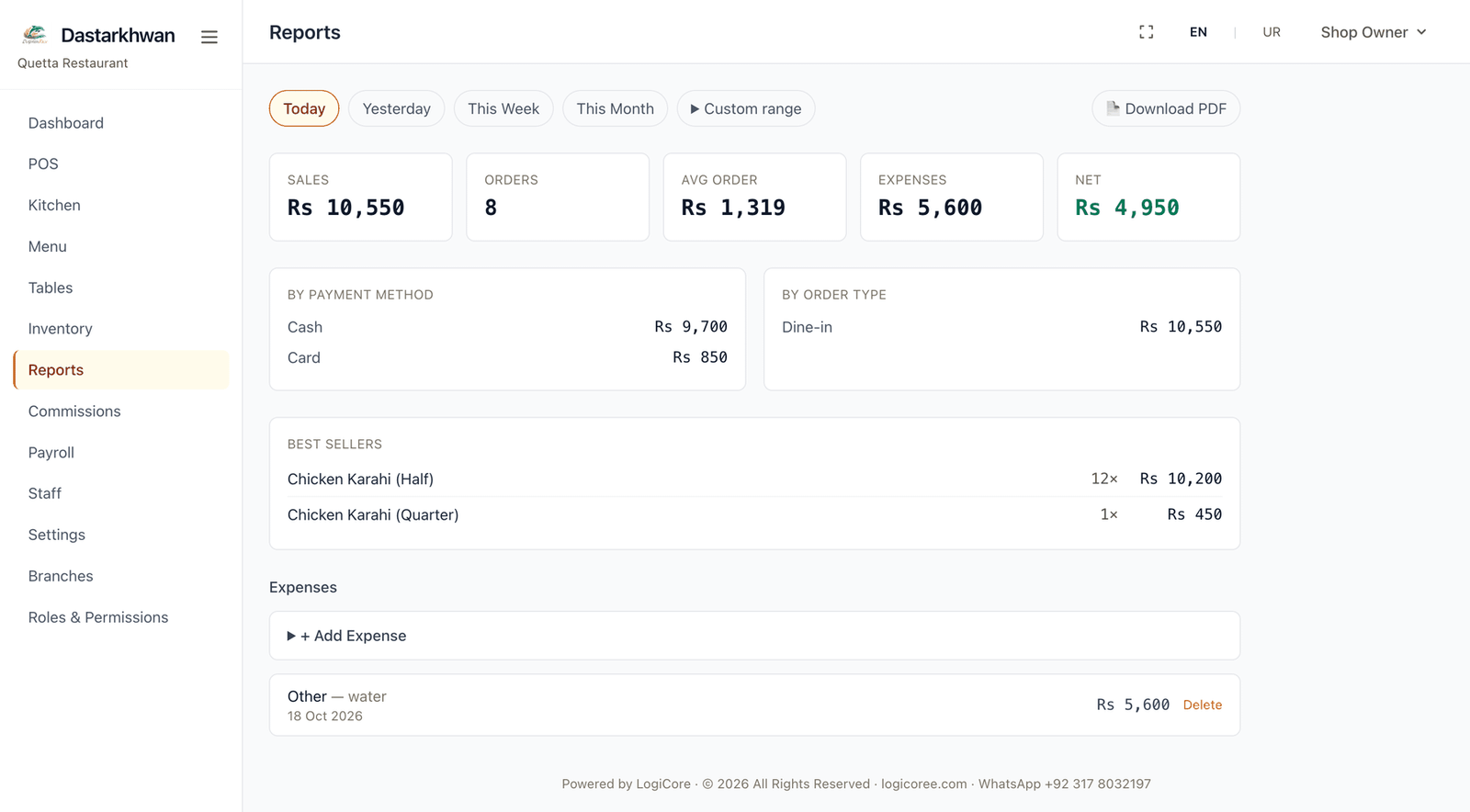
Sales by date range with order counts, average order value, payment and order-type breakdowns, best sellers, expenses and a net figure. Export any range to PDF.
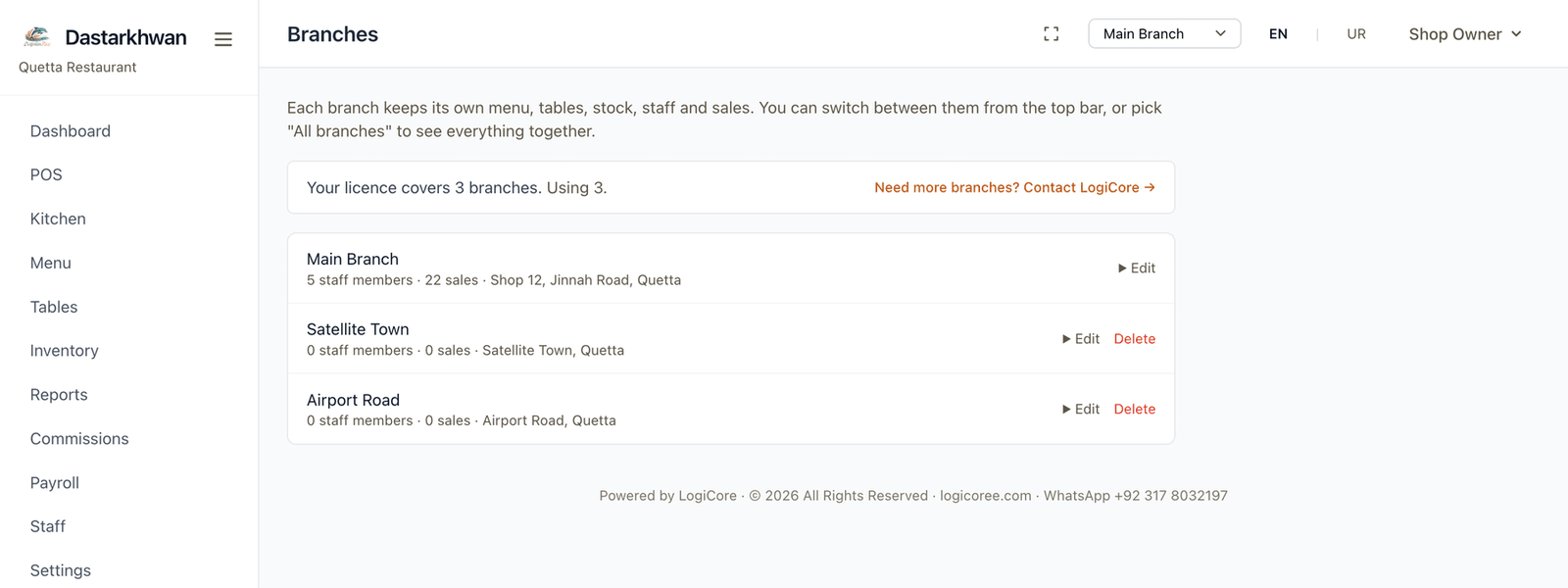
Each branch keeps its own tables, floors, staff and sales. Switch between them from the same login, and read each one separately or together.
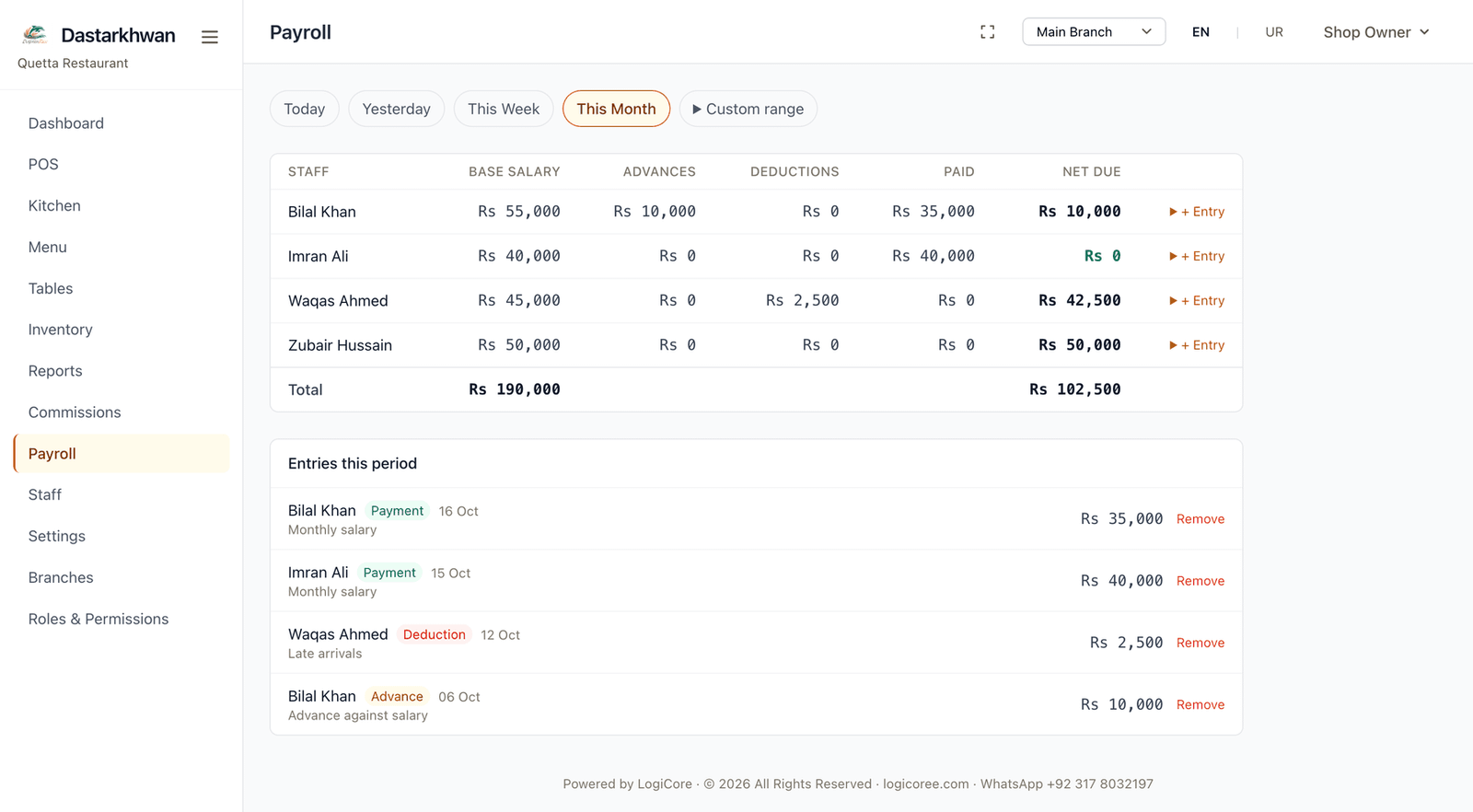
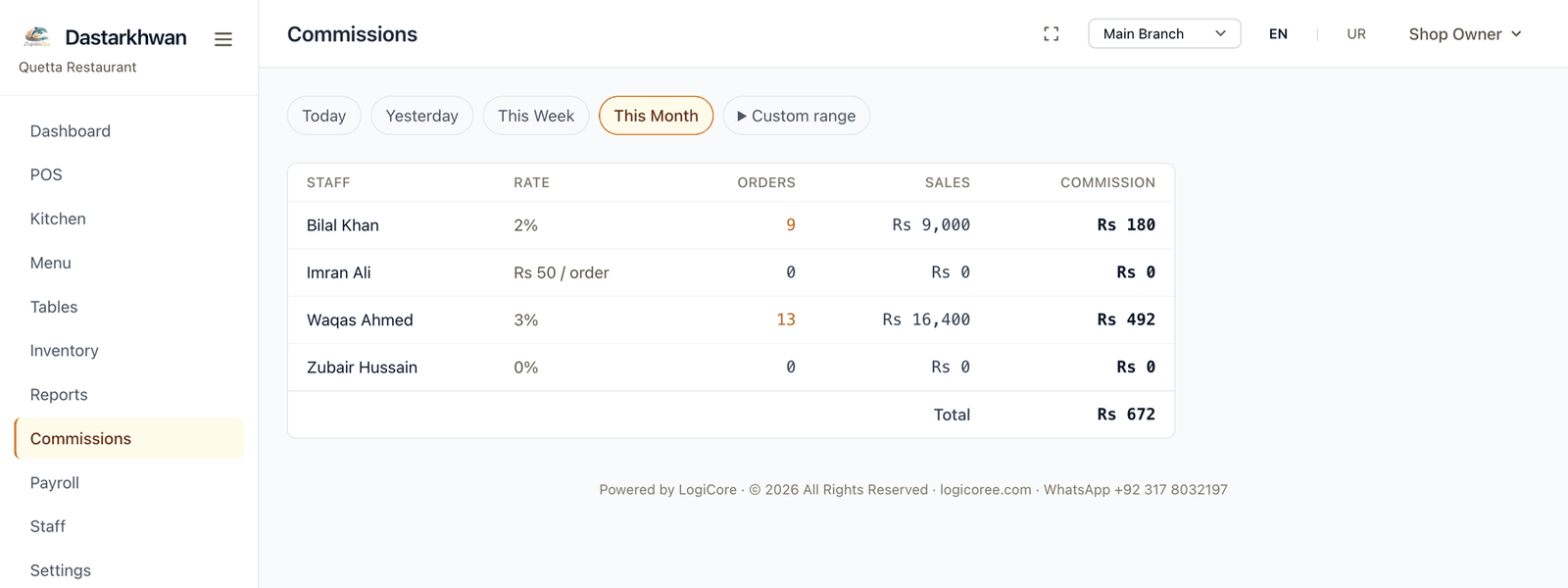
Record salaries, advances and deductions against each staff member, and set a percentage or fixed commission for the waiter who takes the order.
Screens
Screens from the working software.
Deployment
The same system, installed where it suits the business.
Installs on a Windows PC at the till and runs without an internet connection. Portable PHP is bundled, so there is nothing to install separately — orders, printing and billing all keep working if the connection drops.
The same system deployed to your own hosting and domain, so an owner can open the reports from a phone anywhere. Each shop gets its own private database — no data is shared between businesses.
Features
Worth checking
Five things worth checking in any restaurant system sold in Pakistan, and where Dastarkhwan stands on each.
A cloud-only system stops taking orders during an outage, which in practice means the counter stops.
The offline installation runs entirely on the counter PC. Orders, kitchen tickets, billing and printing do not depend on a connection.
Counter and kitchen staff are not always comfortable working in English, and a half-translated screen slows service.
English and Urdu throughout, including a full right-to-left layout. Printed reports stay in English so a formal document reads the same for everyone.
Requirements differ by authority and by whether the business is registered, and overstated claims here cause real problems.
Optional invoice numbering with a QR code on the receipt, clearly labelled as a local reference. Live submission to BRA or FBR needs credentials issued to a registered business, and the software says so rather than implying otherwise.
Per-terminal or per-branch subscriptions add up quickly once a shop grows.
Branches are covered by the licence rather than billed per screen. Each branch keeps its own tables, staff and figures, and the owner switches between them from one login.
Support in another time zone, or only by email, is of little use mid-service.
Built and supported by LogiCore in Quetta, reachable by phone and WhatsApp. The same people who build it answer the phone.
Tax invoicing
Dastarkhwan includes an optional tax-invoicing mode. When a shop enables it and enters its own NTN or STRN, each billed order receives a sequential invoice number and the receipt carries a QR code encoding the invoice details.
This is a local reference invoice. It is not a government-verified invoice, and the receipt says so in plain words. Live submission to BRA or FBR requires a registered business with its own official API credentials from the authority — those are issued to the business, not to us, and nothing in the software can substitute for them. The submission path is built and ready to connect once a shop holds valid credentials.
FAQ
Not in the offline installation. It runs entirely on the counter PC — orders, kitchen tickets, billing and printing all work with no connection. The online deployment does need internet, since it is reached through a browser on your own domain.
Any 80mm or 58mm thermal receipt printer that your computer can already print to. Printing goes through the normal browser print dialog, so no special driver or integration is needed.
Yes. You can add branches up to the number your licence covers, and switch between them from the same login without signing out. Each branch keeps its own tables, floors, staff, orders and expenses, and reports can be read for one branch or compared across them. Contact us to add branches to a licence.
Yes. Each staff member can carry a monthly salary and a commission — either a percentage of sales or a fixed amount. Orders record which waiter took them, so commission is calculated from the orders that person actually handled. Salary payments, advances and deductions are logged with dates and notes.
Yes. Alongside the built-in owner, manager, cashier, waiter and kitchen roles, you can create your own roles and choose what each one may open. The Owner role cannot be removed, and a role still assigned to staff cannot be deleted until those accounts are moved.
No. Each shop runs its own standalone copy with its own database. Nothing is shared between businesses.
With the online deployment, yes — the reports page is built mobile-first and is intended to be checked from a phone. The offline installation is reachable only on the computer it is installed on.
Pricing depends on how you run it: whether it is installed offline at the counter or hosted online on your own domain, and how many branches the licence needs to cover. Tell us the size of the business and how many outlets, and we will quote for that rather than sell a package that does not fit. Contact us on WhatsApp at +92 317 8032197 or through the inquiry form.
The menu, categories, portions and ingredient list can be set up before you switch, so the counter is ready on day one. Historical sales from another system are not imported automatically. Tell us what you are moving from and we will say honestly what can be carried across and what cannot.
Yes. The interface switches between English and Urdu, including a full right-to-left layout. Printed reports are produced in English so a formal document reads the same regardless of who printed it.
Tell us about your restaurant or café — how many tables, how many branches, whether you need it offline at the counter or online — and we will show you how Dastarkhwan would fit.